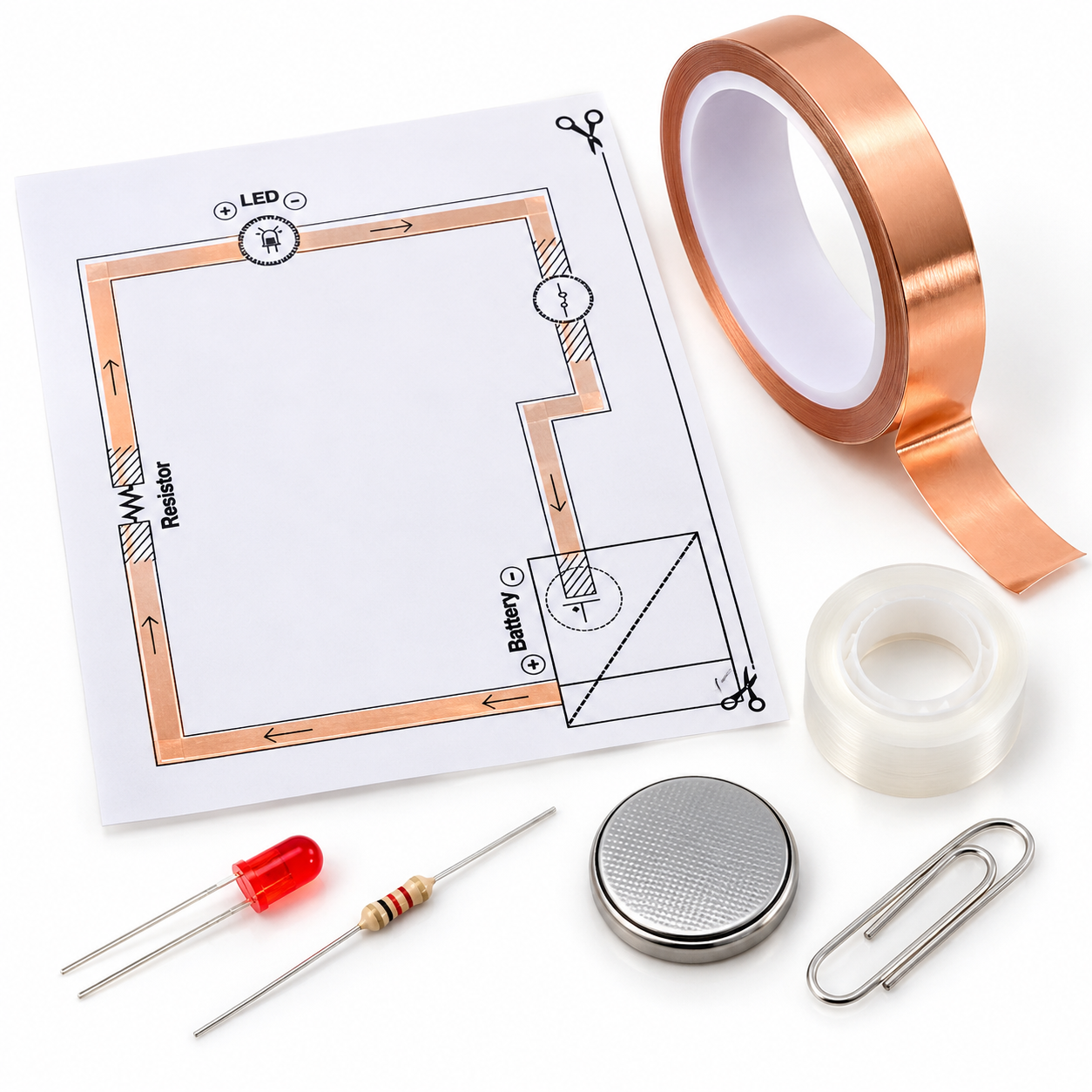
Build a Switch Circuit
Objective: Create a circuit that uses a switch to control an LED.
What You Need
-
Copper tape or conductive tape
-
A 3 mm LED
-
A resistor
-
A 3V coin battery
-
A switch (you can use a metal paperclip or a pre-made switch)
-
A template (like the one shown)
-
Clear tape (optional for securing components)
Steps to Build the Circuit
1. Prepare the Template
-
Place the provided template on a flat surface.
-
Observe the labeled paths for the resistor, LED, switch, and battery.
2. Lay Down the Copper Tape
-
Stick the copper tape along the orange lines of the template.
-
Ensure the tape is smooth and has no gaps for proper current flow.
3. Attach the Resistor
-
Locate the resistor section on the template.
-
Secure the resistor across the labeled points using clear tape or fold the copper tape to hold it in place.
4. Install the LED
-
Find the LED symbol on the template.
-
Insert the LED with the long leg (positive) connected to the “+” path and the short leg (negative) connected to the “−” path.
5. Add the Switch
-
Locate the switch section on the template.
-
Place a metal paperclip or a pre-made switch in this area.
-
Attach the paperclip or switch to the copper tape, allowing it to open and close the circuit.
6. Connect the Battery
-
Place the battery in the designated circle.
-
Ensure the positive (+) side of the battery aligns with the “+” on the template.
7. Complete and Test the Circuit
-
Roll the template along the dotted line to complete the connection.
-
Close the switch by pressing or sliding it into place. The LED should light up.
-
Open the switch to break the circuit and turn off the LED.
Note: print out the circuit diagram using a blade/scissor by cutting it to make it usable as a breadboard template.






Reviews
There are no reviews yet.